DFL Interactive Feed
Categorie
UI Design
Client
DFL
Release
2021

UI
Mobile
Web
Big Screen
Projects / dfl
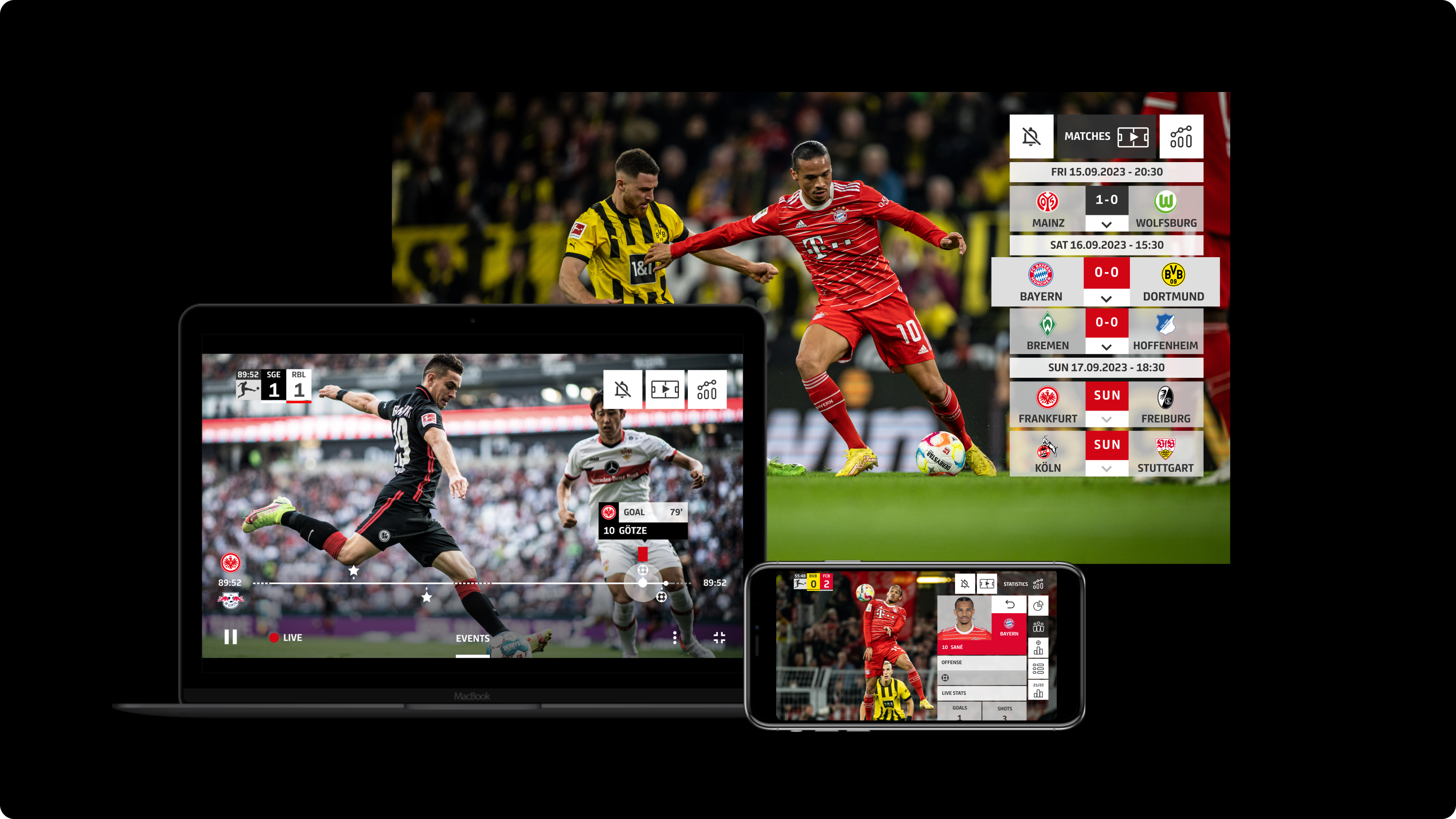
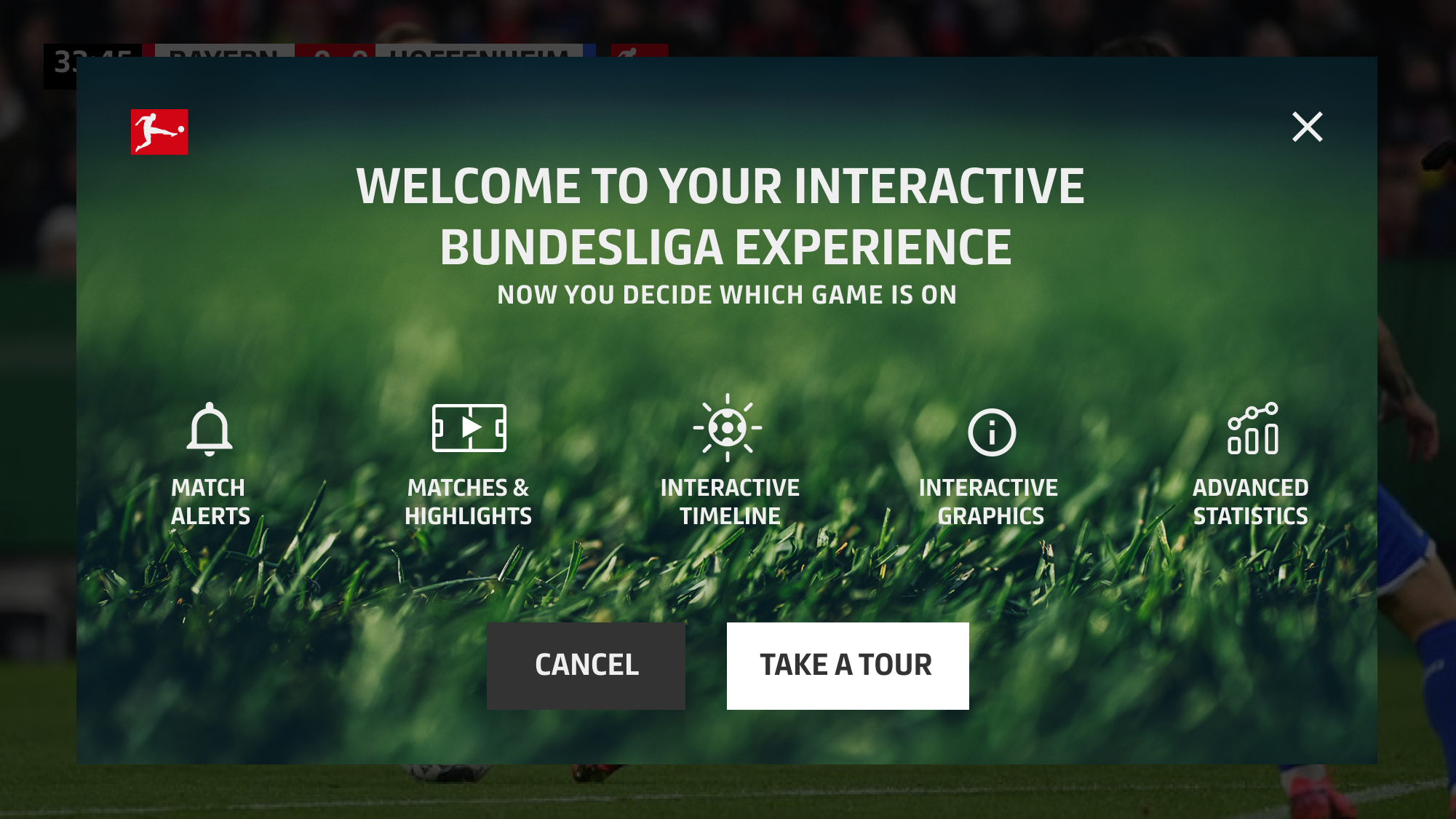
For the DFL, the Interactive Feed created an entirely new live experience for football fans: viewers can toggle highlights, live data, and statistics on or off during the match, allowing them to shape their own personalized conference view.I was part of the UI team and collaborated closely with the client to develop a new style guide for the application. One of the key challenges was designing a clear and intuitive interface despite limited screen space - especially on mobile devices - while keeping the live match at the center of attention.
The result is a modern, interactive second-screen experience that intelligently blends data, emotion, and the dynamics of the live game.
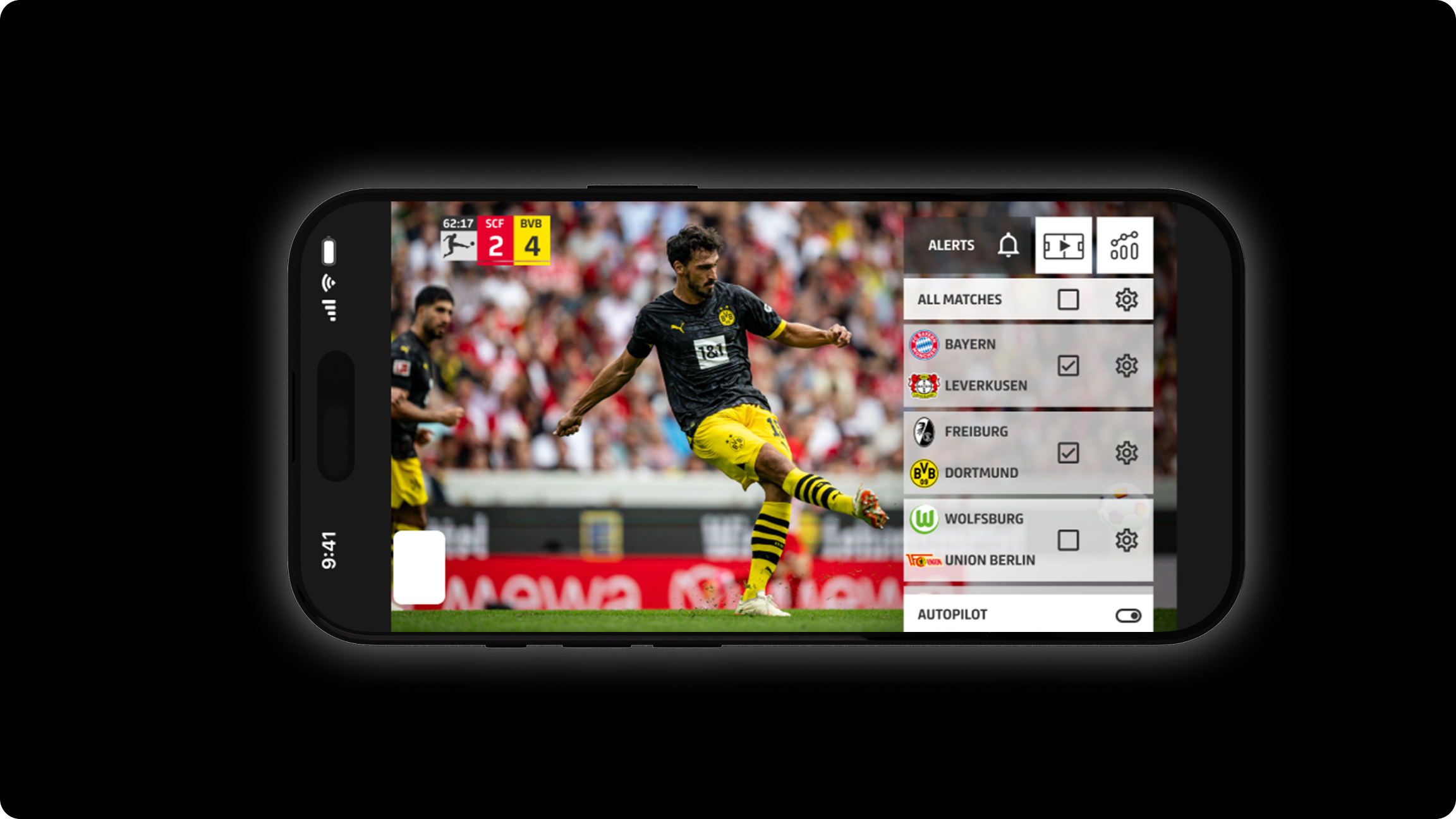
With the alert settings, users can create their own personalized live conference.They choose which matches they want to follow and decide which events should trigger notifications - even while they’re currently watching a different game. This creates a highly individual and dynamic football experience.
The highlights of a match are displayed not only in the timeline but also in a ticker view, where users can watch individual scenes directly.In leanback mode, all highlights can be played automatically in sequence - providing a comfortable, laid-back viewing experience.
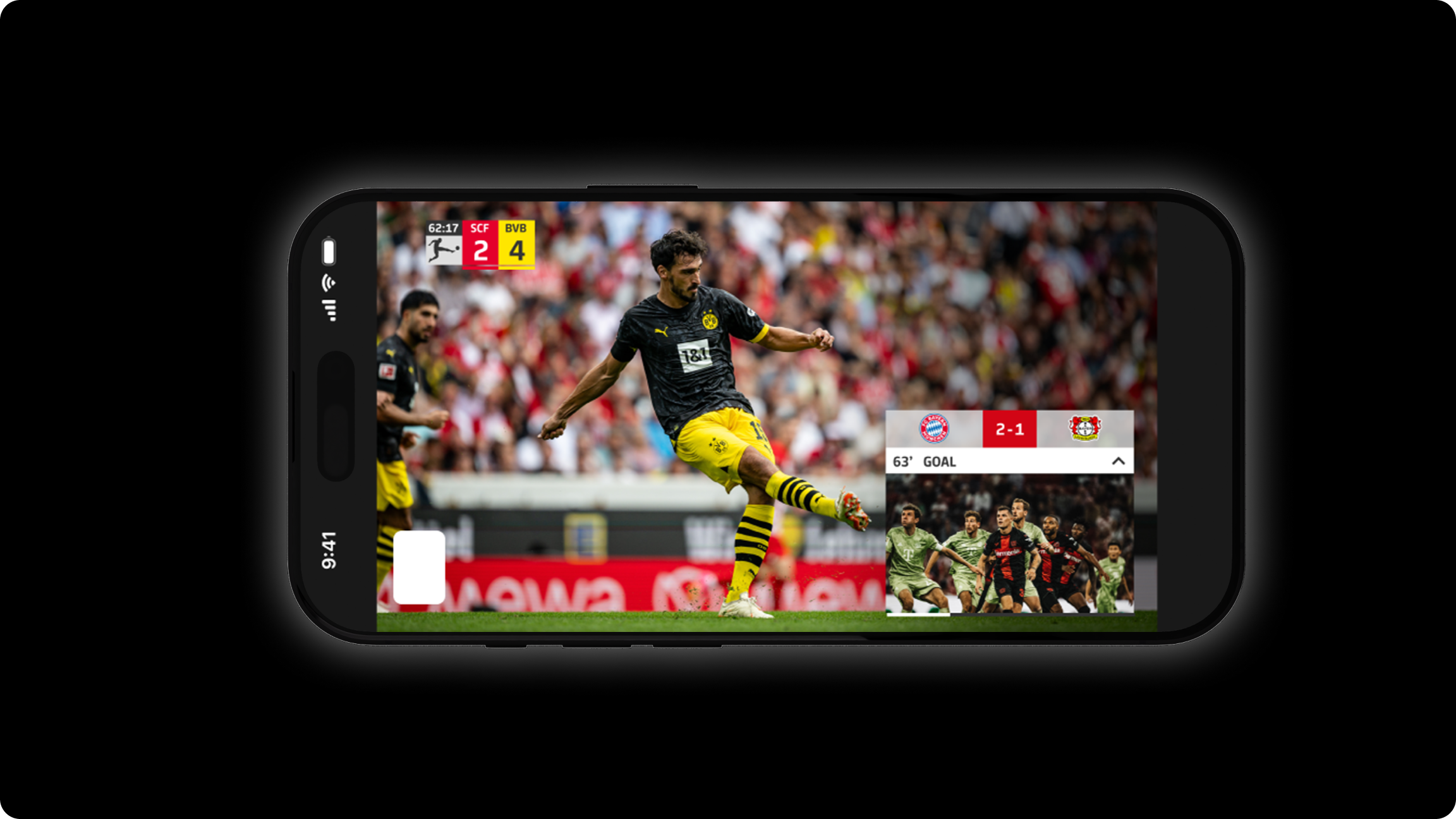
Never miss a goal again: when users have selected multiple matches, they receive an alert as soon as something happens in another game - such as a goal or a red card.The special feature: with Picture-in-Picture (PiP), users can follow the second match in parallel without leaving the one they’re currently watching.
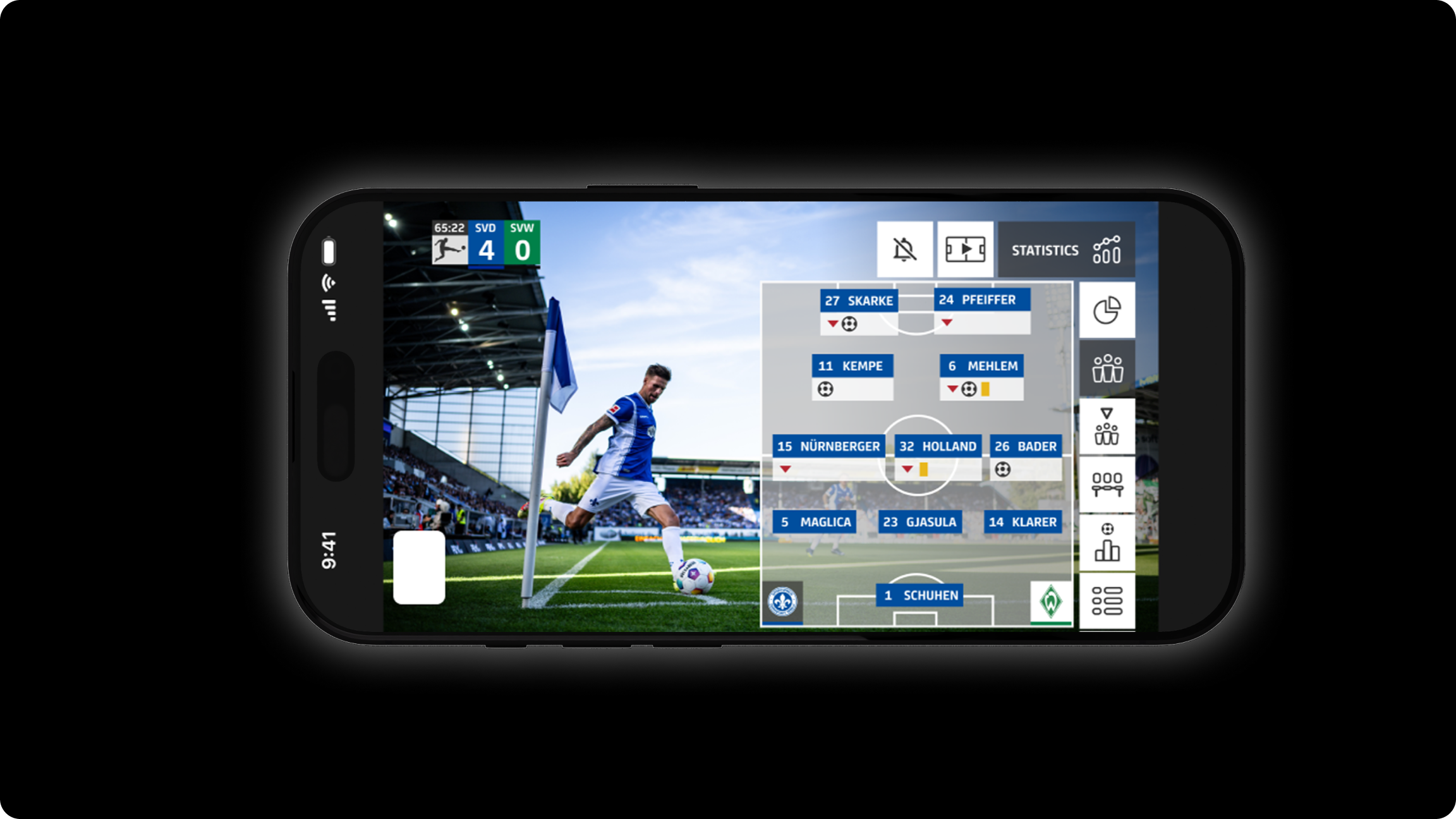
In addition to the line-up, this section provides extensive live statistics on the match.The line-up is continuously updated - goals, cards, and other events are displayed in real time, keeping users informed at all times.
UI
Mobile
Web
Big Screen
Projects / dfl
For the DFL, the Interactive Feed created an entirely new live experience for football fans: viewers can toggle highlights, live data, and statistics on or off during the match, allowing them to shape their own personalized conference view.I was part of the UI team and collaborated closely with the client to develop a new style guide for the application. One of the key challenges was designing a clear and intuitive interface despite limited screen space - especially on mobile devices - while keeping the live match at the center of attention.
The result is a modern, interactive second-screen experience that intelligently blends data, emotion, and the dynamics of the live game.
With the alert settings, users can create their own personalized live conference.They choose which matches they want to follow and decide which events should trigger notifications - even while they’re currently watching a different game. This creates a highly individual and dynamic football experience.
The highlights of a match are displayed not only in the timeline but also in a ticker view, where users can watch individual scenes directly.In leanback mode, all highlights can be played automatically in sequence - providing a comfortable, laid-back viewing experience.
Never miss a goal again: when users have selected multiple matches, they receive an alert as soon as something happens in another game - such as a goal or a red card.The special feature: with Picture-in-Picture (PiP), users can follow the second match in parallel without leaving the one they’re currently watching.
In addition to the line-up, this section provides extensive live statistics on the match.The line-up is continuously updated - goals, cards, and other events are displayed in real time, keeping users informed at all times.
UI
Mobile
Web
Big Screen
Projects / dfl
For the DFL, the Interactive Feed created an entirely new live experience for football fans: viewers can toggle highlights, live data, and statistics on or off during the match, allowing them to shape their own personalized conference view.I was part of the UI team and collaborated closely with the client to develop a new style guide for the application. One of the key challenges was designing a clear and intuitive interface despite limited screen space - especially on mobile devices - while keeping the live match at the center of attention.
The result is a modern, interactive second-screen experience that intelligently blends data, emotion, and the dynamics of the live game.
With the alert settings, users can create their own personalized live conference.They choose which matches they want to follow and decide which events should trigger notifications - even while they’re currently watching a different game. This creates a highly individual and dynamic football experience.
The highlights of a match are displayed not only in the timeline but also in a ticker view, where users can watch individual scenes directly.In leanback mode, all highlights can be played automatically in sequence - providing a comfortable, laid-back viewing experience.
Never miss a goal again: when users have selected multiple matches, they receive an alert as soon as something happens in another game - such as a goal or a red card.The special feature: with Picture-in-Picture (PiP), users can follow the second match in parallel without leaving the one they’re currently watching.
In addition to the line-up, this section provides extensive live statistics on the match.The line-up is continuously updated - goals, cards, and other events are displayed in real time, keeping users informed at all times.